

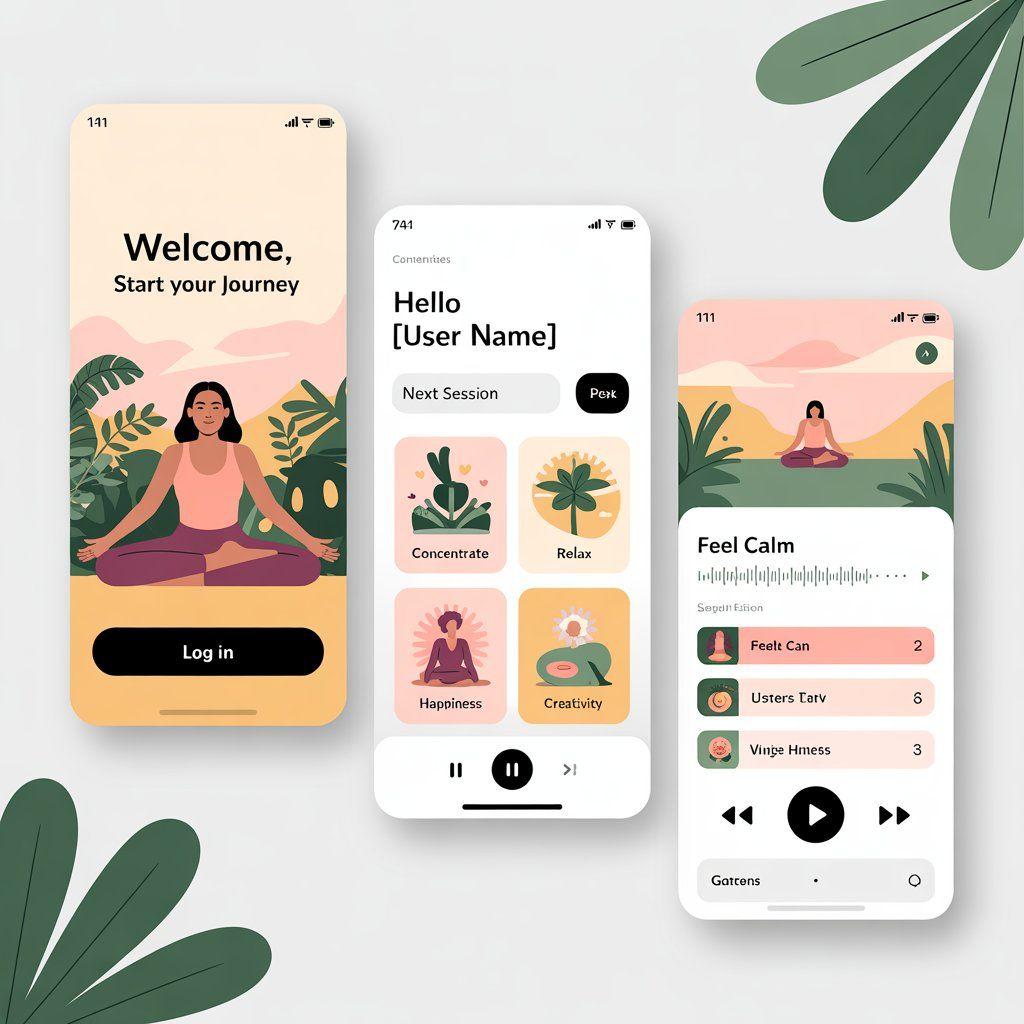
UI/UX Minimal Application
Professional service
Inclusive of all taxes
- Professional service delivery
- 24/7 customer support
- Quality guarantee
Service Details
Discover the advantages and benefits that set us apart from the competition
UX/UI Design Services — Gofillip
Deliver stunning, intuitive, and high-conversion digital experiences across web and mobile. We merge design thinking, data-driven insights, and cutting-edge tools to create interfaces that delight users and elevate brands.
What We Offer
- User Experience (UX) Strategy: Define user flows, information architecture, and journey maps that align with business goals and user intent.
- UI Design & Prototyping: Visual designs and interactive prototypes for desktop, mobile, and tablet, crafted to capture attention.
- Design Systems & Style Guides: Reusable component libraries, typography scales, and color palettes that ensure brand consistency across applications.
- Usability Testing & Optimization: Live user testing, heatmaps, surveys, and iterative improvements.
- Handoff & Developer Collaboration: Clean specs, assets, and documentation for frictionless transition from design to development.
Data We Leverage
- User Behavior Analytics: Session replay, scroll heat maps, time-on-task, task completion rates.
- Usability Metrics: SUS scores, task success, error rates, NPS surveys.
- Performance Insights: Page load timing, interaction speed, and high-fidelity feedback loops.
- Competitive Benchmarking: Positioning patterns and flow improvements to stay ahead of market UX norms.
Operating Systems & Development Environment
To stand out from the crowd, we offer more than just coding:
- Design Primary: macOS workstations for Sketch, Figma, Adobe XD
- Collaboration & Strategy: Browser-based tools like Figma and Miro usable on both macOS and Windows
- Feedback & Testing: Cloud tools and remote sessions on any OS for seamless user engagement
- Version & Asset Control: Git repositories used for design files and revisions, ensuring consistency across platforms
How We Stand Apart
- AI‑Assisted Fast Prototyping - We leverage tools like Google’s Stitch to convert descriptions, sketches, or images into production-ready UI layouts or prototype code—reducing turnaround time and improving accuracy.
- Co-Design & Participatory Workshops - Engage stakeholders and end-users directly during ideation to align expectations, generate real-world insights, and build buy-in.
- Accessibility & Inclusive Design - Our designs meet WCAG guidelines for accessibility—including keyboard navigation, readable fonts, color contrast, and screen reader compatibility.
- Motion & Micro-Interaction Focus - We elevate usability with considered micro-animations—like hover states, loading indicators, gesture feedback—that make experiences intuitive yet engaging.
- Global-Ready, Local-First UX - Tailored UX for multi-lingual locales, right-to-left interfaces, and cultural adjustments in layout, microcopy, icon use, and interaction patterns.
Our UX/UI Design Process
Follow our proven methodology to bring your vision to life
- 1Step 1
Discovery & Research
"Competitive audits, stakeholder interviews, user persona mapping, and empathy exercises—including co-design workshops.
Progress14%Step 1 of 7 - 2Step 2
Design Sprint & Ideation
A time-boxed sprint (like Google’s Design Sprint) that rapidly produces wireframes and validated ideas.
Progress29%Step 2 of 7 - 3Step 3
Wireframing & Low-Fidelity Prototyping
Balsamiq or Axure for streamlined structural layout, focusing on hierarchy and spacing.
Progress43%Step 3 of 7 - 4Step 4
Visual Design & High-Fidelity Prototypes
Figma, Adobe XD, or Sketch for detailed screens with interactive transitions.
Progress57%Step 4 of 7 - 5Step 5
Iterative User Testing & Refinement
Conduct usability testing sessions, A/B testing, and feedback-driven tweaks in an iterative loop.
Progress71%Step 5 of 7 - 6Step 6
Design Handoff & Collaboration
Seamless export to Zeplin or Figma Dev Mode, with version control and developer-ready assets.
Progress86%Step 6 of 7 - 7Step 7
Launch & Post-Launch Optimization
Monitor user behavior via Google Analytics, Hotjar, and usability feedback to refine UI elements continuously.
Progress100%Step 7 of 7
Frequently Asked Questions
Find answers to common questions about our services
What is the difference between UX and UI?
UX (User Experience) focuses on structure — how the product feels, flows, and solves user problems. UI (User Interface) defines aesthetics — layout, colors, typography, and interactive polish.
Which tools do you use for design and prototyping?
Our top toolset includes Figma for real-time collaboration, Adobe XD for animation-rich UI prototypes, Sketch for Mac-based designs, Axure or Balsamiq for rapid wireframes, and Zeplin for developer handoff.
How long does the UX/UI design process take?
From discovery to prototype delivery is typically 3 to 6 weeks, depending on project scope, feedback cycles, and usability testing.
Do you conduct user testing?
Yes. We conduct usability testing via tools like UserTesting.com or Lookback.io, gathering feedback to refine designs iteratively.
Will my designs be developer-ready?
Absolutely. We deliver annotated files, design systems, style guides, and developer-ready specs via Zeplin or Figma Dev Mode—ensuring seamless implementation.
What industries do you design for?
We design for healthcare, finance, e-commerce, education, enterprise SaaS, fintech, and more—customizing user experiences per vertical standards.